Gift-opening bingo: play along with the presents
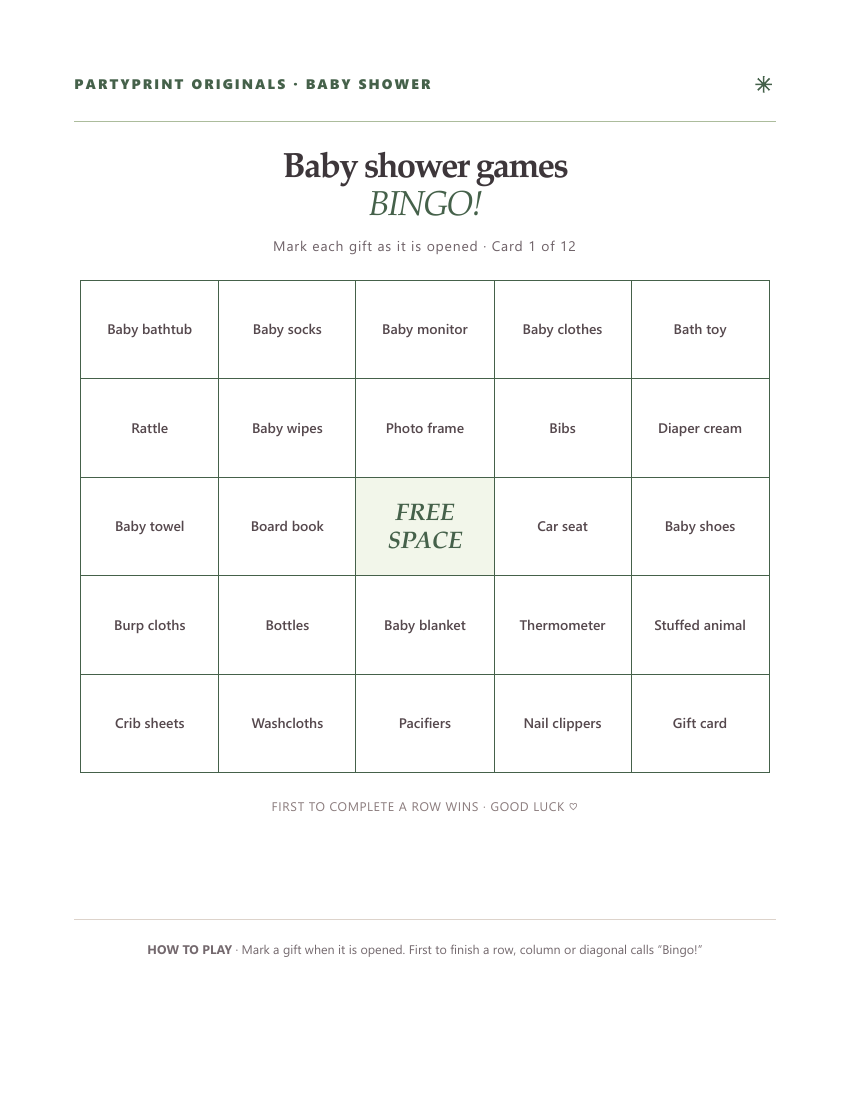
Choose Gift opening for cards filled with baby gifts: diapers, baby wipes, onesies, bottles, pacifiers and blankets. Hand out cards before the presents are opened. Guests mark a square when that gift appears; repeated gifts do not create extra marks. The center of a 5 × 5 card is free.
Agree on matches before starting: for example, any baby blanket counts as “Baby blanket,” regardless of its color. A gift bundle may fill several different squares. The first guest with a complete row, column or diagonal calls “Bingo!” If nobody completes a line before the last present, celebrate the guest with the most marked squares or keep playing for fun.
Tailor the gift list to your shower
Open “Customize the bingo word list,” then choose “Start with the curated list.” Remove gifts that do not fit the registry and add alternatives. Keep at least 24 unique items for 5 × 5 or 16 for 4 × 4. A larger pool gives guests more variety. “Mix it up” rearranges cards without losing your edits.
Make my free gift bingo cards ↗
Party-moment bingo: play throughout the celebration
Choose Party moments when gifts will not be opened at the shower. In this version, every square describes something they might hear or see at the shower: a funny story, someone sharing advice, a guest taking a photo, or a mention of tiny socks. That means the game can run quietly alongside snacks, conversation and gift opening.
- Choose Baby shower in the generator and enter a title for your event.
- Choose Party moments, then select a 4 × 4 grid for a shorter game or a 5 × 5 grid for a longer one.
- Set the number of cards to match your guests and print one per person.
- Ask everyone to mark squares as the moments happen naturally.
- The first person to complete a horizontal, vertical or diagonal line calls out “Bingo!”
Let guests know that squares are observations, not tasks. There's no need to interrupt the guest of honor or manufacture a moment just to complete the game.
How many cards should you print?
Print one for every adult guest who wants to play, plus two or three extras for last-minute arrivals. The generator creates differently arranged bingo grids and supports up to 48 cards. For a smaller shower, a 4 × 4 grid makes a speedy round; the classic 5 × 5 version includes a free center square and usually takes longer.
Simple prize ideas
- A small plant or fresh flowers.
- A wrapped chocolate bar or locally made treat.
- A coffee-shop gift card.
- First pick from a bowl of small party favors.
One prize is plenty. You can also skip prizes altogether and play just for fun. If your group is large, consider offering a second prize for the first full-card completion so play continues after the first winner.
Make it feel personal
Use the custom-word box to add family-friendly details: a grandparent's favorite saying, a favorite snack, or a running joke everyone will recognize. Add only details your guests would be happy to see shared on a printed card. The cards are generated in your browser, so there's no account to create.
Baby shower bingo questions
Can I save the cards as a PDF?
Yes. Choose Letter or A4, tap “Download PDF,” then “Save PDF” when the file is ready. On supported phones, use “Share PDF” to save to Files or send the actual document. “Print games” remains available for browser printing. Preview the pages before saving. Each bingo card occupies one page; trivia includes a separate host answer key. For less ink, select grayscale in your printer settings. Mobile print and PDF menus vary by browser.
Do guests need phones?
No. All the play happens on paper. Guests only need a printed card and a pen.
Our free creator builds matching printable bingo, trivia and scavenger hunt sheets for your event.