Three birthday party games that are easy to host
You don't need elaborate props or an activity coordinator to get a room laughing. Print a handful of games, leave pens by the snacks and let people join in whenever they like. Try these paper-based favorites:
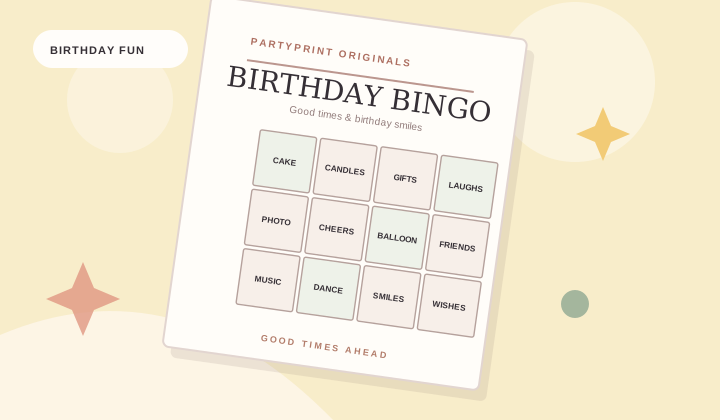
Birthday moment bingo
Play throughout the celebration. Each guest gets a differently shuffled card describing something that might happen: someone takes a cake photo, a guest tells a childhood story or someone mentions balloons. The first person to complete a horizontal, vertical or diagonal line wins.
Friendly birthday trivia
A general knowledge round is perfect for groups that include newer friends or relatives. Keep teams small, allow conversation and give one point for each correct answer. PartyPrint provides a 12-question sheet and a separate answer key.
A quick find-and-seek game
Have guests look for party objects such as a candle, balloon, card and wrapped gift. It's a good choice when people arrive at different times because it can continue while the party is underway.
Keep different age groups in mind
For young children, read out the prompts and keep rounds short. For mixed-age family parties, use the 4 × 4 bingo grid with familiar words. Adults may enjoy the 5 × 5 grid and a longer trivia round. Make sure every guest can opt out without awkwardness.
Print one bingo card per player, leave out extra pencils, set aside one optional prize and tell everyone how to win before you start.
Make the games your own
Give the set a personalized name such as “Avery's 30th Birthday” or “Family Birthday Brunch.” Pick a color scheme that matches your party. You can add custom words and inside jokes to the bingo prompt list — just avoid private details that guests wouldn't expect to appear on a printed card.
Printing tips
Check the preview before printing. Choose Letter or A4 and tap “Download PDF” to create a file on your device, then tap “Save PDF.” “Print games” opens your browser's printing flow. If the color decorations are missing, enable background graphics in print settings. For a more ink-friendly version, choose grayscale printing.
Frequently asked questions
Do I need design software?
No. The cards are laid out automatically and the pack runs directly in your browser.
Can I have different bingo cards for every guest?
Yes. Up to 48 cards can be generated in one set. Use “Mix it up” to get another arrangement.
Our free creator builds matching printable bingo, trivia and scavenger hunt sheets for your event.